SOLUTIONS
Latency Investigation
Don't let milliseconds turn into major incidents.



Don't let milliseconds turn into major incidents.
Sluggish page loads, choppy video calls, or laggy response times. Experienced network teams know latency is likely to blame, but the challenge is pinpointing where and why it’s happening – before it impacts customer satisfaction and service revenue.
Most monitoring tools measure latency from end to end or from a single vantage point. Latency hides somewhere in between – a firewall, a load balancer, a WAN link, a NAT gateway, or some obscure part of the network. Isolating the exact segment responsible for the delay requires precise and synchronized timing at multiple points in the path at once.




Prove where latency lives before it impacts customer experiences or SLA commitments.

Pinpointing the source of latency in minutes – instead of days of correlating network, security, and application logs.

Resolve issues at the correct location the first time, instead of chasing symptoms elsewhere in the stack.

cVu packet brokers deliver an indexed, nanosecond-timestamped copy of traffic to cStor capture appliances, which store it and run L7 session analytics to build a granular record of every conversation on the wire.
cClear Control Center brings those results together in dashboards (organized by monitoring point) so teams can identify the exact segment responsible for delay, resolve it, and verify the fix.
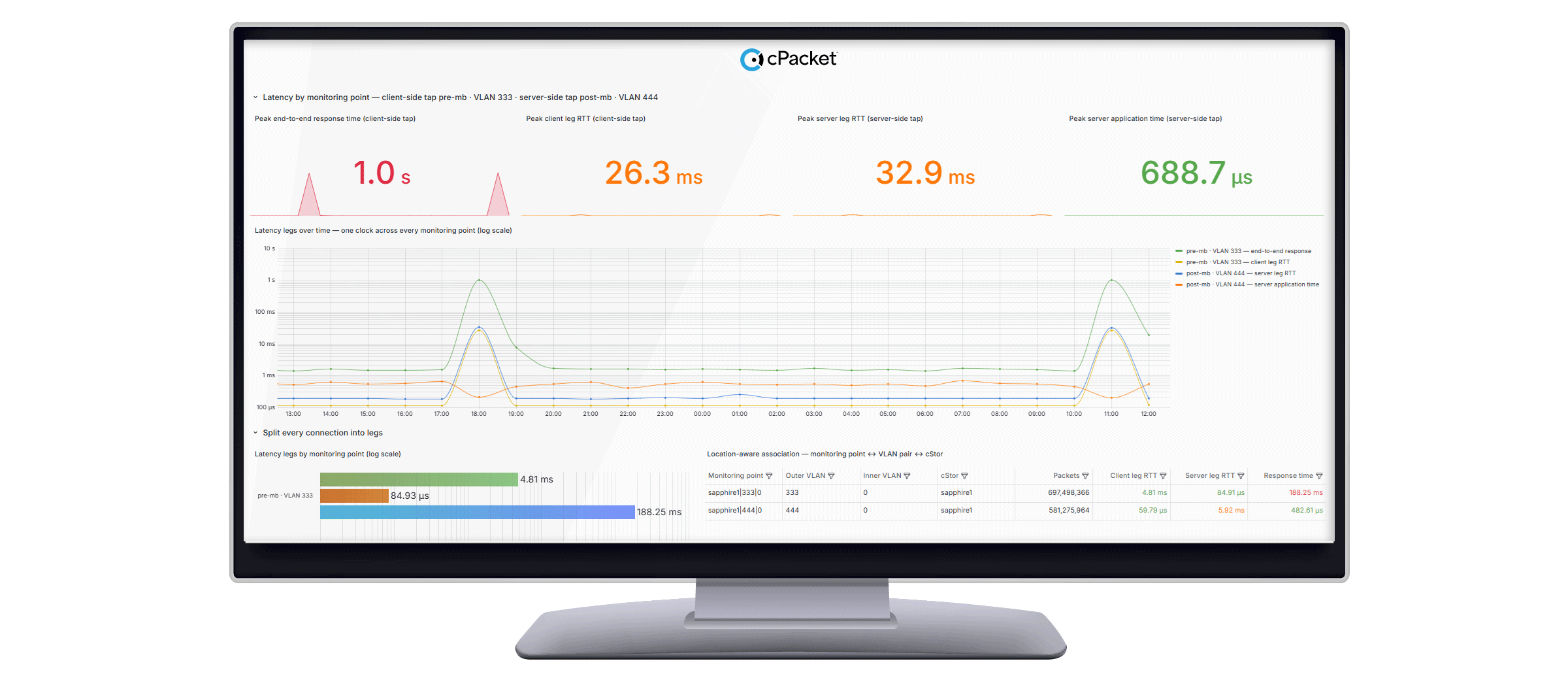



With an FPGA/ASIC on every port, cVu packet brokers timestamp traffic at the wire, giving every monitoring point a common, trustworthy clock for hop-to-hop comparison.
cClear Control Center associates VLAN pairs across each tap so analytics can attribute latency to the exact segment of the network where it originated.
Split any connection into legs – client, server, peer – measured independently, so you can isolate whether the network, load balancer, or server caused the delay.
MCP servers expose cPacket’s monitoring-point metrics and L7 session analytics to natural-language queries, while built-in networking skills guide the model through the same segment-by-segment analysis an engineer would run by hand. The result surfaces the affected monitoring point and probable cause directly, without a dashboard build in between.
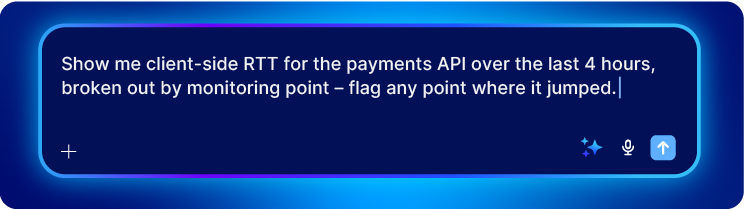

Ask which point in the network introduced delay and get an answer pulled directly from cClear's monitoring-point data via MCP, without manual dashboard correlation.
cPacket’s built-in network investigation methods cut triage time from hours to minutes.
Verify every root cause by retrieving the exact packets – CPF indexing pulls the relevant capture in seconds.
Get answers to common questions about network observability and cPacket solutions.
You can use cPacket packet brokers to easily identify the source of latency. Every port timestamps packets in hardware, referenced to a PPS time source. Because that nanosecond timestamp travels with each packet, cStor capture appliances can resequence packets from multiple monitoring points based on when they actually crossed the wire, not by when they were received or where they came from. That lets cClear attribute latency and loss to a specific segment instead of the connection as a whole.
Yes. Because each monitoring point is analyzed independently rather than relying on matching one flow's 5-tuple across the translation, latency and loss can still be localized on either side of a NAT or firewall.
A monitoring point identifies where a packet was captured; a service or location names what the traffic is. Keeping these separate lets you filter latency data by application and by physical location independently.
Our team of experts can work with you to align your network strategy to cPacket’s industry-leading packet broker and capture solutions.





.jpeg)